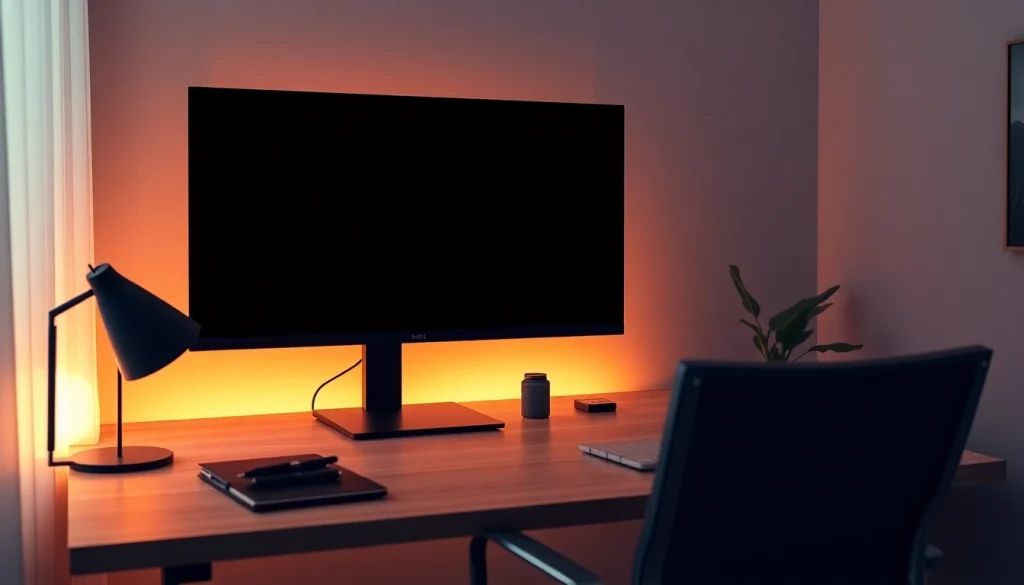
Understanding the Black Screen Concept
The concept of a black screen has evolved significantly as digital technology has integrated into our daily lives. Initially perceived simply as a solid black display, the utility of a black screen tool transcends mere aesthetics, offering practical benefits that enhance user experience across various settings. This article delves into the multifaceted applications of black screens, exploring their importance in energy conservation, eye comfort, and focus enhancement.
What is a Black Screen?
A black screen is primarily a visual display that presents as a solid black surface. In digital contexts, it is often employed as a tool to minimize distractions, clean monitors, or facilitate specific tasks such as testing display quality. The black screen can be accessed via web platforms, applications, or as part of an operating system’s built-in features. Its functionality extends beyond mere visual presentation, influencing user engagement and interaction.
The Science Behind Black Screens
The technology behind black screens largely relies on how displays manage pixels. In LCD (Liquid Crystal Display) technology, achieving a true black involves blocking light, while in OLED (Organic Light-Emitting Diode) screens, black pixels are entirely turned off, thus consuming no power. This inherent energy efficiency plays a significant role in conserving battery life on devices, particularly for users who rely on mobile technology.
Common Uses of Black Screens
- Environmental Conservation: By using black screens, especially on OLED devices, users can reduce energy consumption significantly, supporting both personal and environmental sustainability.
- Eye Comfort: Many individuals utilize black screens in low-light settings to decrease glare, thus providing a more comfortable viewing experience and reducing eye strain.
- Focus Enhancement: In educational or work environments, black screens can help eliminate distractions, allowing users to immerse themselves fully in their tasks.
- Screen Testing: Technicians frequently use black screens to identify dead pixels or assess display quality, making it an essential tool in the tech industry.
Benefits of Using a Black Screen
Energy Savings and Environmental Impact
The transition towards energy-efficient technologies has highlighted the benefits of using black screens. The substantial energy savings realized when using black screens on OLED displays can contribute to reduced electricity bills and lower carbon footprints. For example, reports indicate that users can save up to 60% more battery life by opting for darker interfaces when using their devices outdoors or in dimly lit environments.
Reducing Eye Strain and Improving Focus
Users working long hours on computers or engaging in intense gaming sessions often suffer from eye strain. A black screen serves as an effective remedy by lessening the harsh glare common in bright displays. Furthermore, the minimalist nature of a black background aids in enhancing concentration, enabling users to focus on content without visual distractions.
Enhancing Display Quality on Various Monitors
Additionally, a black screen can enhance the overall visual quality of monitors. Utilizing a pure black screen allows users to identify screen imperfections such as dust accumulation or pixel issues easily. This functionality is particularly beneficial for professionals in graphic design and video editing, where display fidelity is critical.
How to Use a Black Screen Effectively
Step-by-Step Guide to Accessing the Black Screen Tool
- Visit a reliable website that offers a black screen tool.
- Select the option to display the black screen in full-screen mode.
- Press the appropriate key (F11 or ESC) to toggle full-screen mode as necessary.
- For offline use, download the black screen image in your desired resolution.
Customizing Your Black Screen Experience
Many platforms offer customization options, allowing users to choose different shades of black or even blend it with other colors for aesthetic purposes. This feature caters to individual preferences and can be a fun way to personalize the viewing experience.
Using Black Screen on Multiple Monitors
One of the standout features of modern black screen tools is their compatibility with multiple displays. Users can open black screens on various monitors simultaneously, enabling professionals to create a focused workspace without having to turn off any monitors. Simply load the black screen on each monitor, allowing for a cohesive working environment that promotes productivity.
Addressing Common Concerns About Black Screens
Does a Black Screen Really Save Energy?
Yes, especially on OLED and AMOLED displays, a black screen significantly conserves energy. Since these technologies turn off the pixels entirely to achieve black, users can enjoy longer battery life with less power consumption compared to vibrant color displays.
Is It Good for Your Eyes?
Research indicates that using a black screen can be beneficial for eye health. In low-light settings, it reduces glare and helps lessen the effects of blue light exposure, making it easier to transition to sleep afterward. Users report feeling less fatigued when alternating between tasks involving a black display and tasks that require bright colors.
Can You Use It Offline on Various Devices?
Most black screen tools are designed to function offline once accessed. This feature is convenient for users in areas with unreliable internet connections or for those who prefer working in isolated environments.
Future Trends in Screen Usage and Technology
Emerging Technologies in Display Solutions
The future of display technology is poised for exciting advancements. Technologies like microLED and improvements in OLED will further enhance the efficiency of screens. Consumers can expect to see more devices leveraging darker interfaces that not only conserve energy but also improve overall visual comfort.
The Role of Black Screens in Digital Minimalism
Digital minimalism is gaining traction as individuals seek to reduce distractions and enhance productivity. Black screens align perfectly with this philosophy, offering a distraction-free environment that allows users to engage deeply with their activities, whether studying or working.
Predictions for Screen Technology in 2025 and Beyond
As we move forward, the integration of AI and machine learning in display technology is anticipated to create adaptive screens that optimize brightness according to ambient light levels. Black screens will likely remain a staple in both personal and professional settings, promoting energy savings and enhancing user experience in the digital realm.